Picture a viewer opening a short clip to check the latest posted results. They want a date, readable numbers, and a source they can verify. Instead, the video starts with a long musical intro, flashing transitions, and a dramatic announcement that delays the information. A daily update should not feel like a movie trailer. Music created with a service such as AI Song might help establish a recognizable opening, but only if it stays secondary to the facts. For publishers of scheduled results, sports recaps, and brief news updates, designing the sound means respecting the viewer’s time first.
The Viewer Has One Practical Question
A fan checking a score, a reader checking a scheduled draw, and a commuter watching a weather summary may have different interests. Yet their immediate need is similar: tell me what happened, and tell me accurately. Music can create continuity across a series, but it cannot make incorrect information reliable.
Start with the facts the audience needs. In a sports score update, these might be the two teams, competition, date, and final score. In a published draw-results recap, they might be the exact draw name, date, and values shown by the authoritative source. Verify the information independently before editing. Background music should never be used to imply a result has been checked when it has not.
A useful editorial exercise is to write the update in one plain sentence. If that sentence cannot be understood without an exciting soundtrack, the wording or visual presentation needs work. List the source information before picking a music style.
Storyboard a Short Update Before Recording
Imagine an eighteen-second results video. The first three seconds identify the update; the next ten display the facts; the final five provide a source reminder or a closing screen. This is an illustrative editing structure, not a claim about a particular platform’s ideal video length.
At the opening, a brief musical phrase can help returning viewers recognize the series. Once the numbers or scores appear, either reduce the music substantially or leave silence behind a spoken readout. At the end, close cleanly rather than adding an unrelated flourish.
Do not pack every available detail onto one screen. On a phone, tiny text becomes unreadable quickly. A slightly longer clip with legible information is better than a frantic sequence nobody can check. If the update involves a correction, place the correction visibly and clearly instead of trying to hide the change beneath another transition.
Match the Sound to the Information
For a factual clip, subtlety is an advantage. An instrumental track with a steady pace and restrained percussion is often easier to use under a spoken readout than a song with prominent vocals. A dramatic rising chorus could make an ordinary result sound more consequential than the facts justify.
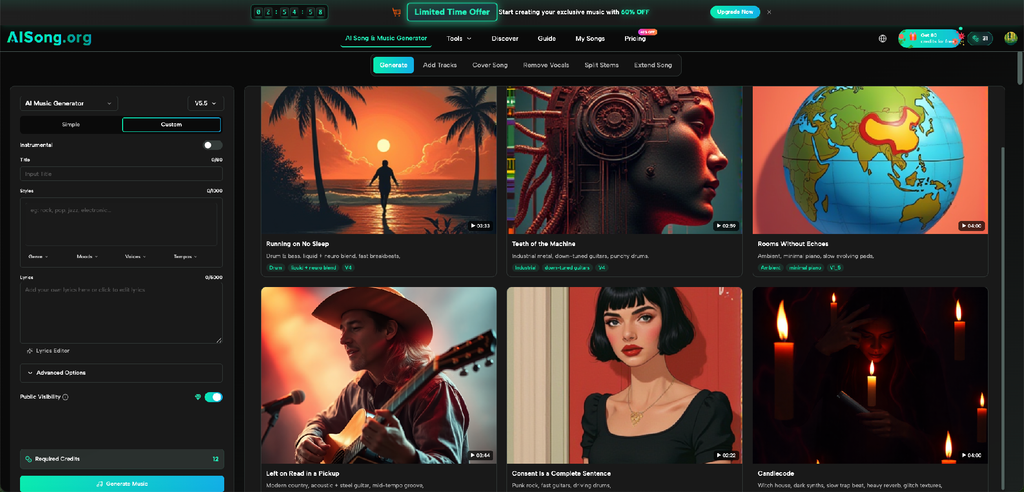
The AI Music Generator on AISong accepts descriptions of musical mood, style, and genre, and its interface includes an Instrumental setting. A creator can therefore explore a restrained backing track rather than asking for a full vocal song. One workable description is: calm, modern instrumental, gentle rhythm, light keyboard texture, no dramatic drops, suitable under spoken information.
Listen to the result against a sample readout. Some tracks sound quiet at the start but become busy halfway through. If a strong section overlaps the numbers, edit the placement or choose a different track. Do not assume a music label such as “ambient” guarantees a suitable volume or arrangement.
Three Moments That Need Different Treatment
1. Opening Identification
Show the date and subject immediately. A short recurring musical phrase can provide familiarity, especially when several updates appear in the same feed. However, the phrase should not delay the facts or replace a readable title. Someone watching without sound must still know which update they opened.
Consider placing the title on a clean background rather than over moving visual effects. This reduces the temptation to turn up the music merely to make an elaborate introduction feel exciting.
2. The Facts on Screen
This is the moment to prioritize speech, captions, and legible numbers. If a voice reads the results, reduce competing audio. Use consistent text placement from one episode to the next, so viewers know where to look. Do not animate important digits so quickly that their order becomes difficult to confirm.
For a draw-related video, avoid treating music as a signal of likely outcomes. Soundtracks cannot indicate whether a combination will appear or whether previous results have predictive value. The job of this segment is reporting, not persuasion.
3. Source and Closing Reminder
A closing card might identify the official record viewers should consult, especially if the clip is a secondary recap. Keep the ending brief and avoid suggesting that viewers must take an urgent action. A light musical resolution works better than a sudden volume spike.
When an update changes because a source corrects the original information, publish a clear correction. Replacing the audio alone will not communicate what changed. The written date and source matter far more than the track.
Design for Silent Viewing and Repeat Publishing
Many viewers encounter short videos with sound muted. Make the date, heading, numbers, and source visible without relying on narration. If a spoken explanation adds context, captions should preserve its meaning. Check the entire composition on a phone rather than assuming text readable on a desktop monitor will remain legible.
For regular publishers, consistency can also reduce mistakes. Prepare a reusable visual layout and an approved music approach, then change only the verified information. Keep a short pre-publication checklist: correct date, correct source, clear formatting, captions reviewed, audio level tested, and corrections handled transparently.
Avoid using a copyrighted popular song merely because it sounds familiar. Check the applicable terms for any generated track as well. The platform where you post may impose its own rules, and the rights required for a public channel may differ from those needed for paid promotional use.
When Silence Is the Better Editorial Choice
Not every update benefits from background music. An urgent correction, a sensitive news item, or a rapid factual recap may work better with speech alone. Similarly, a short animated scorecard can remain silent if the graphics already make the result unambiguous.
For recurring updates, the final check should also include sequence and context. A viewer arriving through a shared link may not have seen yesterday’s post, so avoid references such as “the usual numbers” without a date or title. Music cannot supply missing context. Treat each clip as a self-contained explanation that a first-time visitor can understand independently. This principle is useful for weather reports, sports scores, and other scheduled information.
Compare a silent edit and a musical edit with someone who has not seen the material. Ask what information they remember and whether they could read it comfortably. If music makes the message less clear, cut it. That is not a failed creative decision; it is successful editing.
Conclusion
Sound can give a recurring results series a familiar character, but accuracy and speed of understanding must come first. Build the update around verified information, make every essential detail readable without audio, and reserve music for moments where it helps rather than distracts. Generated instrumentals offer a way to test different moods, not a reason to cover every second with sound. A viewer should finish the clip knowing exactly what was reported and where to verify it. Before publishing your next short update, watch it once muted and once at low volume, then remove anything that obscures the facts.
Visit our website for more.