You might be thinking, “I have video files in both MOV and MP4 formats, but which one should I actually use?” It’s a common question, and the answer depends on what you’re trying to do.
Both formats are popular, and both have their strengths.
The good news? You don’t need to be a tech expert to figure this out. Let’s break it down in simple terms so you can make the right choice for your needs. AhaConvert is here to help you understand these formats and convert between them whenever you need to.
What Exactly Are MOV and MP4?
Before we compare, let’s get clear on what these formats actually are.
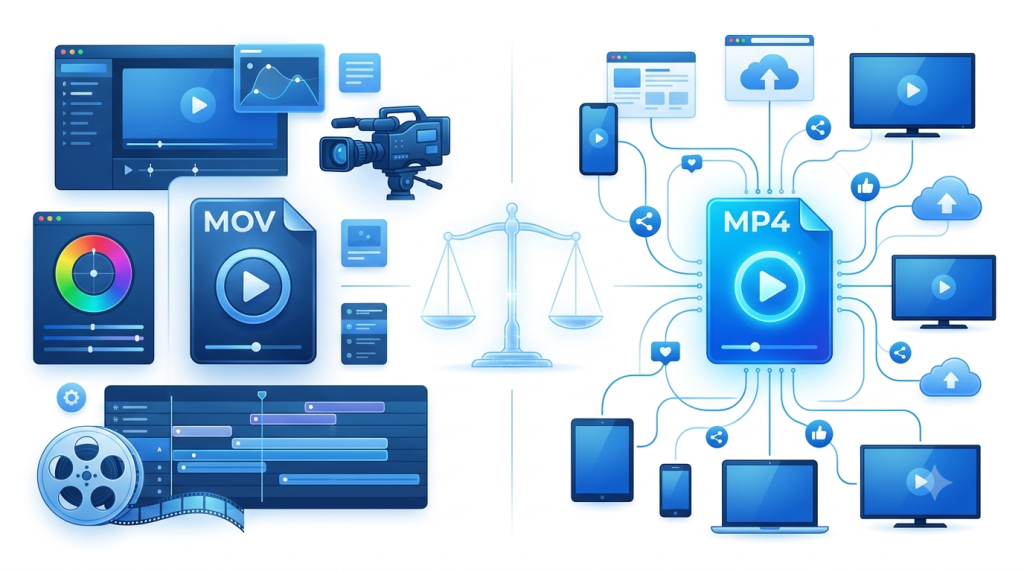
MP4 (MPEG-4 Part 14) is the most widely used video format in the world. It’s an international standard that works on virtually every device: phones, tablets, computers, smart TVs, and gaming consoles . Think of it as the universal language of video.
MOV is Apple’s video format, originally developed for QuickTime Player . While it can work on other systems, it’s most at home in Apple’s ecosystem Macs, iPhones, and iPads .
Both formats are “containers” ; they hold video, audio, subtitles, and metadata all in one file . They’re actually cousins, built on the same technical foundation. But they serve different purposes.
The Main Differences at a Glance
| Feature | MP4 | MOV |
| Compatibility | Works everywhere | Best on Apple devices |
| File Size | Smaller, more compressed | Larger, less compressed |
| Quality | Excellent for everyday use | Superior for professional work |
| Best For | Sharing, streaming, social media | Editing, post-production, archiving |
| Compression | Lossy (smaller files) | Less aggressive (higher quality) |
Why Choose MP4? The Universal Favorite
MP4 is the format you want when you need your video to play everywhere without hassle.
Compatibility Is King
MP4 works on practically any device or platform you can think of: Windows, Mac, Android, iPhone, smart TVs, gaming consoles, and web browsers . Social media platforms like YouTube, Instagram, and TikTok all prefer MP4 .
Small File Sizes, Great Quality
MP4 uses efficient compression that keeps files small while maintaining excellent video quality . This means:
- Faster uploads and downloads
- Less storage space used
- Quicker streaming without buffering
The Web Standard
If you’re uploading videos to websites or sharing them online, MP4 is the go-to choice . It’s what most platforms recommend because it just works.
A Quick Tip
If you have MOV files that you want to share widely, converting them to MP4 is a smart move. AhaConvert makes this easy with our free online MOV Converter .
Why Choose MOV? The Editor’s Choice
MOV is the format for professionals who need maximum quality and flexibility.
Superior for Editing
MOV files store video and audio in separate “tracks,” which makes editing much easier . Video editors can work with individual tracks without re-encoding the entire file, saving time and preserving quality .
Higher Quality Retention
MOV uses less aggressive compression, which means it preserves more of the original video quality . This is crucial when you’re working with footage that will be color-graded or heavily edited.
Built for Apple Workflows
If you’re using Final Cut Pro, iMovie, or other Apple software, MOV integrates seamlessly . It’s designed to work perfectly in the Apple ecosystem.
Great for Archiving
Because MOV retains more quality, it’s an excellent choice for storing master footage that might be re-edited later .
Which Format Should You Use?
Use MP4 When:
- You’re sharing videos with others
- You’re uploading to social media or YouTube
- You want to save storage space
- You need videos to play on any device
- You’re sending videos via email or messaging apps
Use MOV When:
- You’re editing video professionally
- You’re working in Apple’s ecosystem
- You need to preserve maximum quality
- You’re archiving master footage
- You’re working with multiple audio/video tracks
One thing to consider: many professionals use MOV during production and then convert to MP4 for final distribution . This gives you the best of both worlds.
Converting Between Formats
Sometimes you need to switch from one format to the other. Here’s why you might do it:
MOV to MP4: If you’ve shot video on an iPhone or edited in Final Cut Pro and now need to share it broadly, MP4 is the way to go .
MP4 to MOV: If you need to edit an MP4 file in professional software, converting to MOV can give you better editing flexibility.
AhaConvert offers free online conversion tools that work right in your browser. No software to download, no accounts to create. Just upload, convert, and download.
Frequently Asked Questions
Is MOV better quality than MP4?
MOV files typically offer higher quality because they use less aggressive compression. However, for most everyday viewing, the difference is barely noticeable. MOV is preferred for professional editing where every detail matters .
Can I play MOV files on Windows?
Yes, but you might need additional software. Windows Media Player doesn’t support MOV natively. VLC Media Player is a free option that handles MOV files well. Alternatively, you can convert MOV to MP4 using AhaConvert for easier playback .
Does converting MOV to MP4 lose quality?
Converting MOV to MP4 can slightly reduce quality because MP4 uses more aggressive compression. However, if done properly, the loss is often minimal and not noticeable for everyday use. Tools like AhaConvert balance quality and file size effectively .
Which format does YouTube prefer?
YouTube recommends MP4 with H.264 video and AAC audio. While YouTube accepts MOV files, MP4 is preferred because it offers better balance of quality and file size, resulting in faster uploads and smoother playback .
Can I just rename MOV files to MP4?
Sometimes! If the MOV file uses H.264 video codec, you can rename the extension from .mov to .mp4 and it may work . But this doesn’t always work if the file uses a different codec, you’ll need proper conversion.
Is MOV or MP4 better for social media?
MP4 is generally better for social media platforms like Instagram, TikTok, and Facebook. These platforms often compress videos anyway, so the larger MOV files don’t provide any advantage. MP4’s smaller size means faster uploads and less buffering .
Can MOV files be edited on Windows?
Yes, but you may need compatible editing software. Many Windows video editors like Adobe Premiere Pro support MOV. However, for the best editing experience, converting to a more Windows-friendly format can help.
Conclusion
So, is MOV or MP4 better? The honest answer is: it depends on what you’re doing.
For everyday use, sharing, and streaming MP4 is the clear winner. It’s compatible with everything, takes up less space, and looks great.
For professional editing, high-quality preservation, and Apple workflows MOV takes the crown. It offers better quality and more flexibility.
And if you ever need to switch between them, AhaConvert is here to help. Our free online MOV Converter makes it quick and easy to convert your videos with no software download required.
Ready to convert your videos? Visit AhaConvert today and get started. It’s fast, free, and works on every device!
Visit our website for more.